免责声明: This article is for informational and educational purposes only. It does not constitute financial, legal, or technical advice. References to any brands or gateways do not imply endorsement unless stated otherwise.
What is a WooCommerce Payment Gateway?
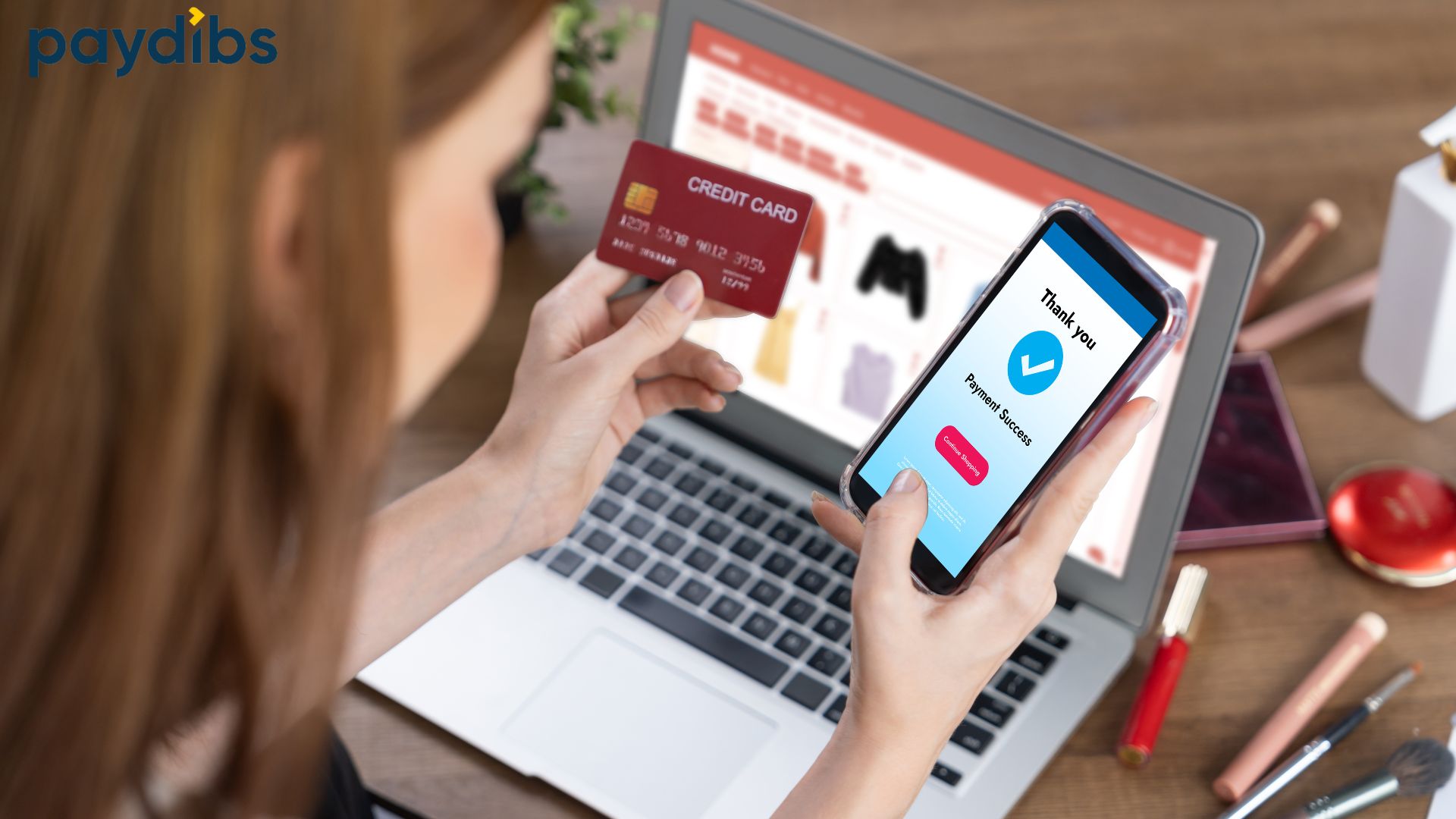
在马来西亚, WooCommerce payment gateway securely connects your online store to banks or e-wallets so customers can pay using cards, FPX, or QR without leaving your site.
It acts like your digital cashier, processing, verifying, and confirming every transaction in seconds. Payment gateway in Malaysia such as Paydibs, iPay88, SenangPay and so on make this process seamless and compliant with local banking standards. All payment gateway providers operating in Malaysia must be licensed or approved by Bank Negara Malaysia (BNM) under the Financial Services Act 2013 (FSA), ensuring consumer protection, operational reliability, and compliance with AML/CFT and data-security standards.
Why Choosing the Right Gateway Matters
Payment gateway can make or break your customer experience.
- Slow or unreliable systems cause cart abandonment and lost revenue.
- Malaysian shoppers expect FPX and e-wallet options like Touch ’n Go, Boost, and GrabPay.
- Gateways with faster settlement improve your cash flow.
- Security and compliance protect both your brand and your customers.
When selecting a provider, ensure it complies with BNM’s requirements on Anti-Money Laundering/Counter Financing of Terrorism (AML/CFT) 和 Targeted Financial Sanctions (TFS), and that all customer information is handled in accordance with the Personal Data Protection Act 2010 (PDPA Malaysia)
A well-optimised gateway keeps checkout frictionless, so buyers spend less time waiting and more time completing purchases.
WooCommerce Payment Gateway Comparison
| Gateway | Best For | Key Features | Pros | Limitations | Integration |
| Paydibs | SMEs needing all-in-one local payment options | FPX, Visa/Mastercard, e-wallets, subscription support | Local team, fast approval, secure | Requires merchant setup | Plugin & API |
| iPay88 | Established e-commerce brands | Wide bank network, recurring billing | Proven reliability | Slightly higher cost | Plugin |
| SenangPay | Startups & small stores | FPX, card, wallet integration | Quick onboarding | Basic analytics | Plugin |
| Stripe | International sellers | Global card & wallet support | Great UX, strong API | No native FPX | Plugin & API |
Step 1: Install WooCommerce
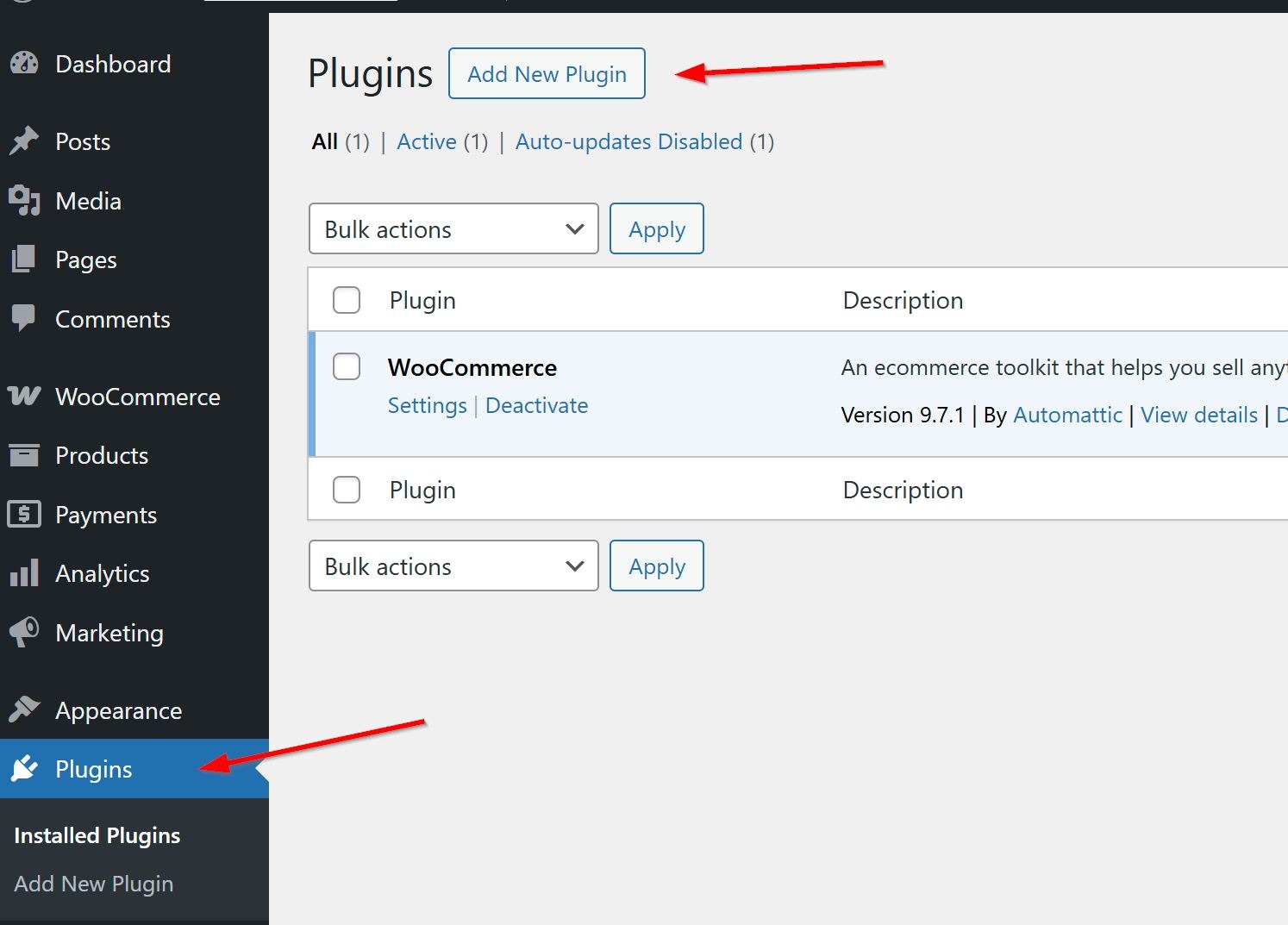
- Login to WordPress admin dashboard, go to Plugins > Add New.
- At this stage, you can search for “WooCommerce” directly in the plugin library, or
- manually upload the ZIP file. Then click Install Now, followed by Activate to complete the setup.
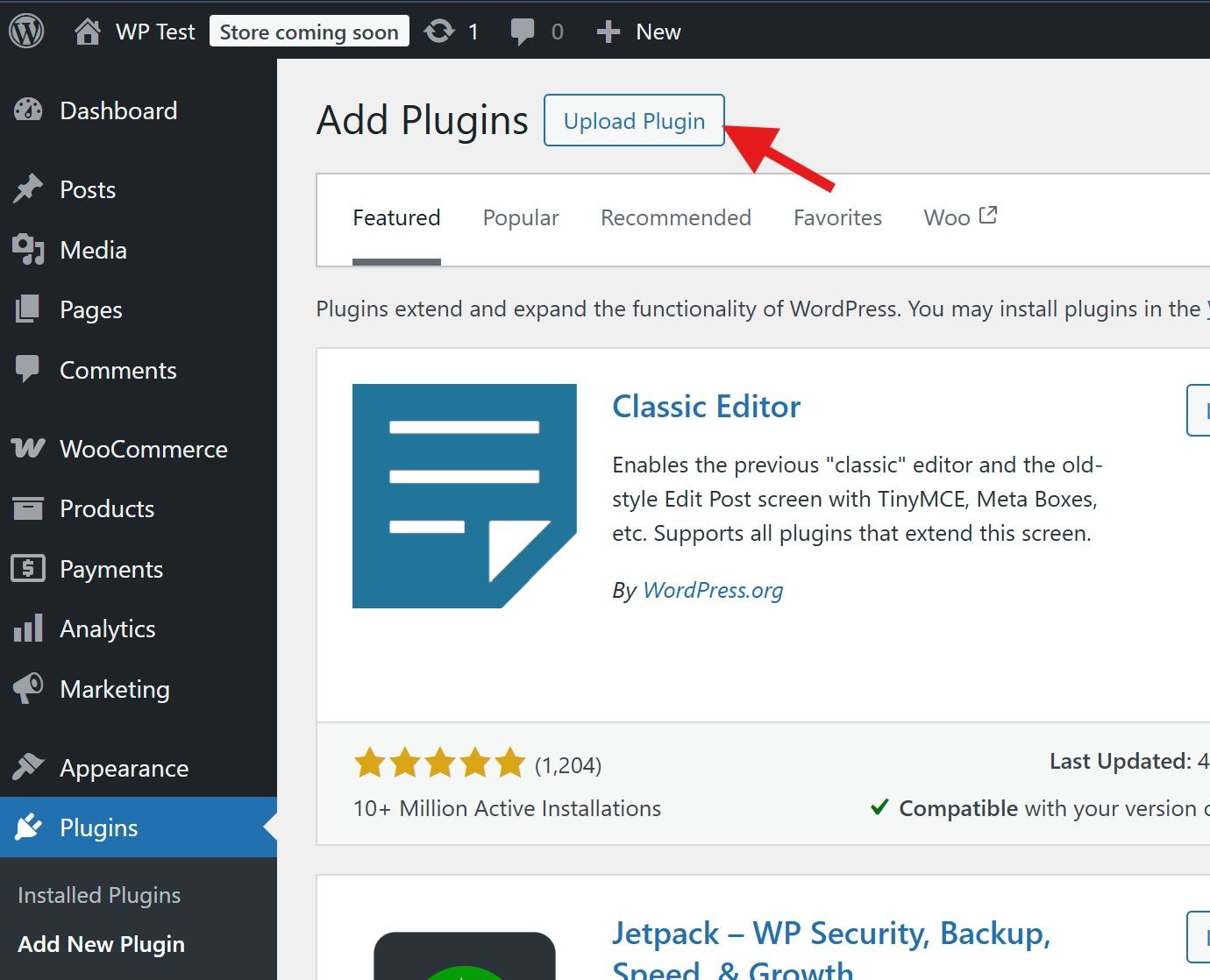
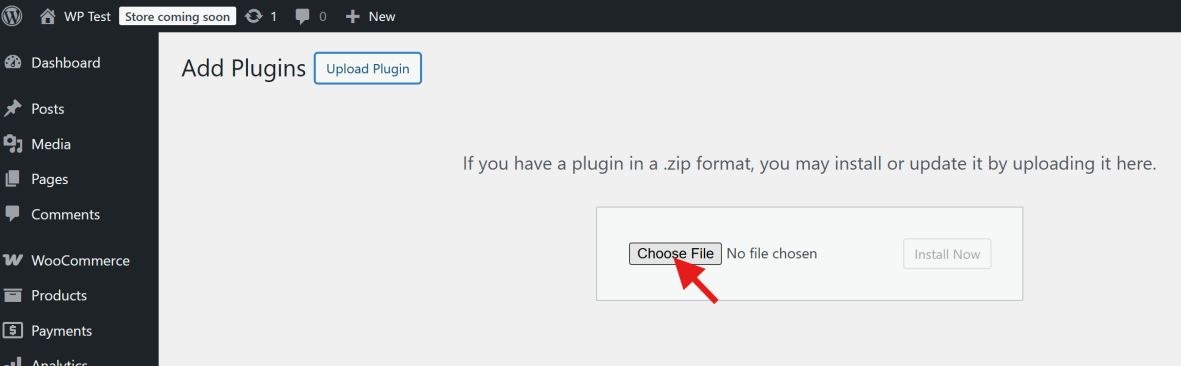
- Complete the basic setup (store details, currency = MYR).
Step 2: Choose Your Payment Gateway Plugin
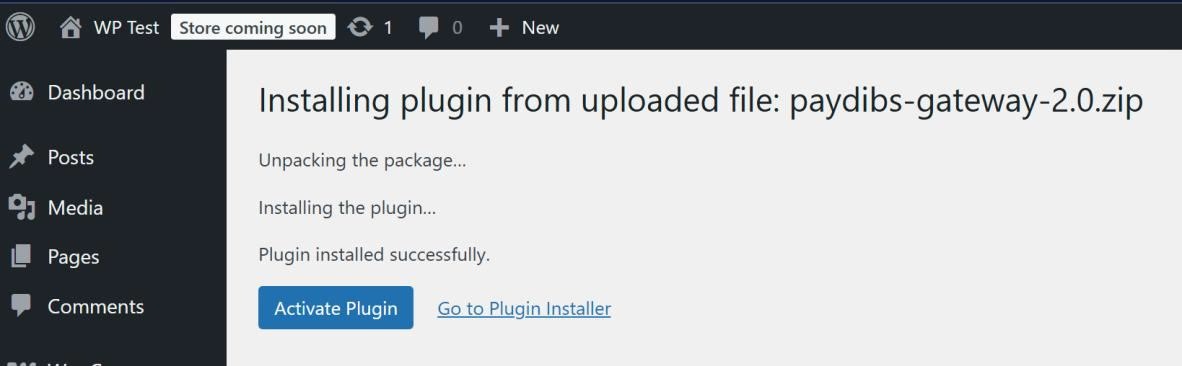
- Head to Plugins > Add New again.
- Search for your gateway, for example, Paydibs, SenangPay, or iPay88.
- Click Install → Activate.
Step 3: Configure Payment Settings
- In WooCommerce, go to Settings > Payments.
- Enable your selected gateway and click Manage.
- Add your merchant ID 和 API keys from your provider’s dashboard.
- Set your preferred currency to MYR (Malaysian Ringgit).
Step 4: Set Up Webhooks and Notifications
- Copy your callback URL from the plugin setup.
- Paste it into your provider’s dashboard (this allows transaction updates).
- Enable email or webhook alerts for successful payments.
Step 5: Test in Sandbox Mode
- Use your gateway’s test credentials.
- Try a sample transaction and verify the order status changes correctly.
Step 6: Go Live
- Switch your plugin and gateway from “Sandbox” to “Live.”
- Run a real transaction with a small amount to confirm everything’s working.
Common Issues and How to Fix Them
| Issue | Cause | Solution |
| “Payment Failed” after checkout | Wrong API keys | Regenerate credentials and recheck plugin settings |
| Orders stuck as “Pending” | Callback URL mismatch | Update the webhook in your payment dashboard |
| FPX banks not showing | Plugin outdated | Update plugin or reinstall latest version |
| Currency showing USD | Default not set | Change to MYR under WooCommerce > General |
Tip: Always keep your payment plugin updated, outdated versions often cause failed transactions.
Security and Testing Best Practices
Your payment gateway is the lifeline of your business, protect it.
- Use SSL (HTTPS) on all checkout and payment pages.
- Test FPX, cards, and e-wallets separately before launch.
- Keep transaction logs for audits and refunds.
- Restrict dashboard access to authorised users only.
“The right setup is 90% of your payment success, test twice, launch once.”
The Future Payments in Malaysia
Digital payments are evolving fast and WooCommerce is keeping up.
- More banks joining FPX 和 DuitNow QR ecosystems.
- 先买后付(BNPL) plugins gaining traction.
- Unified APIs offering all-in-one dashboards.
- AI-driven fraud protection improving transaction safety.
As Malaysia’s digital payments ecosystem matures, e-commerce businesses are placing greater emphasis on integrated gateways and faster settlement cycles to support operational efficiency and customer experience.
Conclusion: Simplify Your Checkout with WooCommerce Payment Gateway Malaysia
Setting up your WooCommerce payment gateway doesn’t have to be difficult.
With a reliable payment gateway service provider, your online store can securely accept FPX, credit/debit cards, and e-wallets, all under one roof.
Reach out to us to find the payment packages that best suits your business and start integrating fast, secure payments into your store today.
Start small, test thoroughly, and scale with confidence as Malaysia’s e-commerce landscape continues to grow.