Disclaimer: The information provided in this article is for educational purposes only. Pricing, features, and hardware compatibility for third-party services are subject to change based on the provider’s latest terms and conditions. Business owners are encouraged to conduct their own due diligence before committing to a specific payment solution.
For Malaysian MSMEs (Micro, Small, and Medium Enterprises), selecting the right point-of-sale setup is a balancing act between operational needs and budget constraints. Traditionally, businesses have had to choose between two ends of the spectrum: the comprehensive POS System or the streamlined POS Terminal.
The transition to digital payments usually starts with a simple question: “Which device do I actually need?” Understanding the technical and operational differences between these two is the first step in ensuring your business remains efficient without over-investing in unnecessary hardware.
The Traditional POS System: Comprehensive Management
A full POS system is an all-encompassing setup typically found in large retail outlets or high-volume restaurants. It consists of a central terminal (PC or Tablet), a cash drawer, a barcode scanner, and dedicated software.
- Capabilities: Extensive inventory management, staff shift tracking, and complex CRM (Customer Relationship Management).
- The Trade-off: High upfront costs for hardware and software licensing, significant counter space requirements, and a steeper learning curve for staff.
The POS Terminal: Pure Payment Processing
The standard POS terminal is a dedicated hardware device designed for one primary task: capturing payment credentials from cards or digital wallets and routing them for authorisation.
- Capabilities: Fast, secure processing of credit cards, debit cards, and e-wallets.
- The Trade-off: Most standard terminals do not “know” what is being sold. They lack the ability to track specific products, manage tables, or provide insights into sales trends.
The Middle Ground: The Emergence of the Mini POS
As the digital economy evolves, many merchants find themselves needing more than a simple terminal but less than a bulky, expensive system. This has led to the rise of the Mini POS, a solution that bridges the gap by offering “hassle-free” integration.
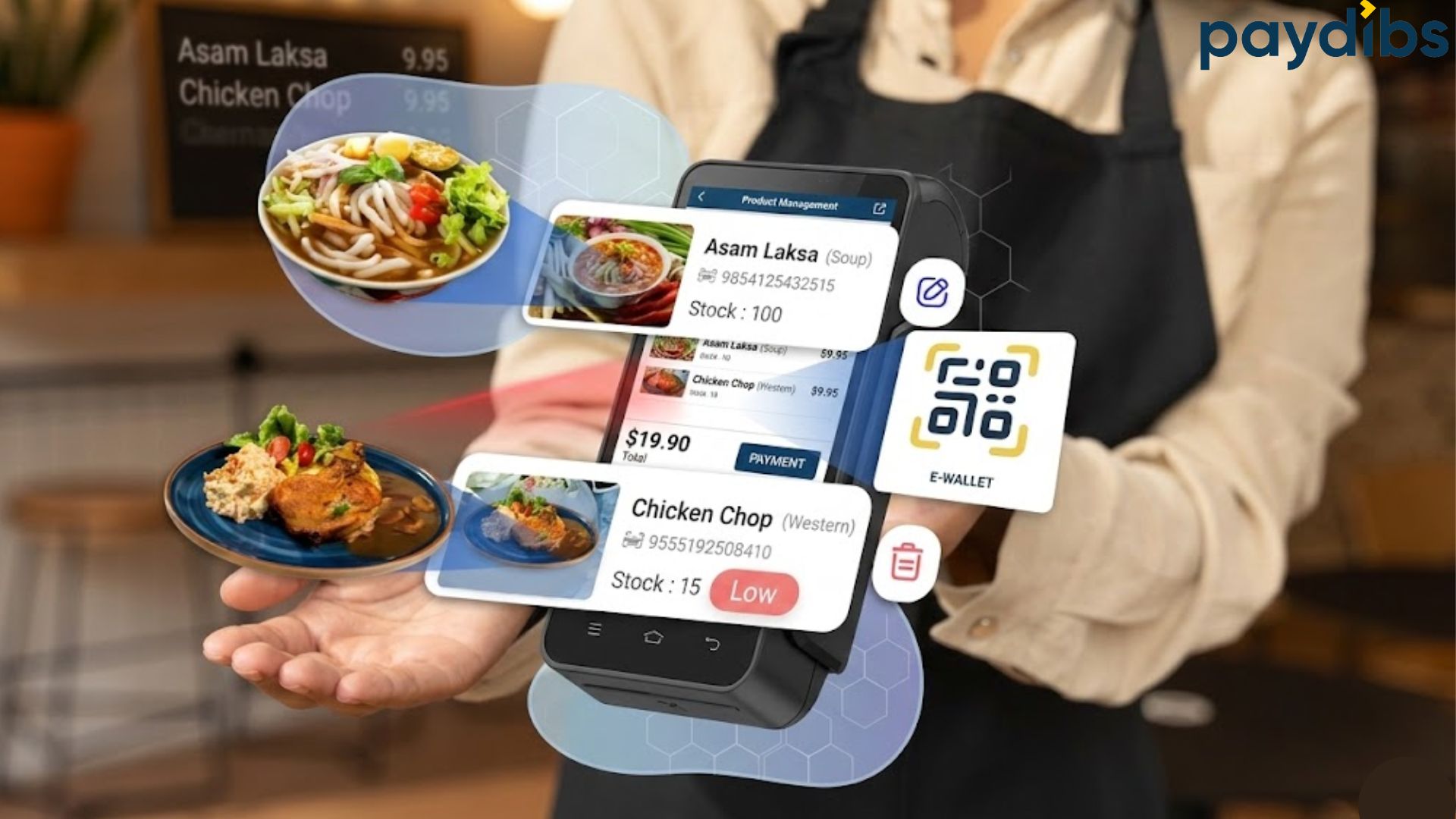
A Mini POS transforms a standard Android smart terminal into an all-in-one business hub. It allows merchants to manage essential front-of-house tasks such as product lists and table assignments directly on the same device used to accept payments.
Key Advantages of a Mini POS Approach:
- Operational Efficiency: By bringing checkout and administrative tasks into a single interface, staff can minimise manual errors and serve customers faster in high-traffic environments like cafés or food courts.
- Data-Driven Insights: Unlike a basic terminal, a Mini POS automatically syncs transactions to a centralised dashboard. This provides real-time analytics on best-selling items, simplifying reconciliation and stock planning.
- Lower Entry Barrier: It eliminates the need for separate, expensive POS hardware, making professional operations accessible to smaller businesses and pop-up vendors.
Is a Mini POS Right for You?
A Mini POS is often the ideal choice for businesses that value mobility and simplicity. For example, Paydibs offers a Mini POS feature within the Paydibs Pay app for compatible Android smart terminals. This setup provides F&B and retail merchants with a structured operational flow for a one-time fee (approximately RM360) and a modest annual maintenance fee (RM120), offering a predictable cost structure for growing businesses.
While a POS Terminal, POS system and a Mini POS might look similar on a countertop, they serve different roles in your daily operations. Choosing the best suit for your business can reduce the chances of getting unnecessary costs or, conversely, a lack of the tools you need to grow.
Disclaimer: The pricing mentioned above is indicative and subject to change. Please refer to the official provider for the most up-to-date pricing details.
Quick Comparison: At a Glance
Business Need | Full POS System | POS Terminal | Mini POS |
Inventory Size | Massive/Thousands | None (External) | Small to Moderate |
Mobility | Stationary | Portable | High Portability |
Cost Level | High (Multi-device) | Low (Single-use) | Moderate (All-in-one) |
Setup Effort | Complex | Simple | Hassle-free |
A Smarter Way to Scale: The Paydibs Advantage
For merchants looking for that perfect middle ground, solutions like the Mini POS are designed specifically to bridge the gap. Instead of forcing you to choose between “too simple” and “too expensive,” it offers a lightweight, app-based ecosystem that runs directly on your smart terminal.
The goal is not just to process a transaction, it is to simplify your business operation. With features that allow you to manage products and track sales seamlessly, it is a “business-in-a-pocket” solution. It is particularly effective for Malaysian MSMEs who want to stay compliant and professional without the heavy overhead of traditional infrastructure.
Conclusion
There is no “one-size-fits-all” in payment technology. While large-scale retailers may still require the depth of a full POS system, many modern MSMEs find that a Mini POS offers the perfect balance of professional functionality and cost-efficiency.
Ultimately, your hardware should complement your digital strategy. Whether you are using a specialised handheld device or a robust payment gateway for your online store, the goal remains the same: to create a seamless, secure experience for your customers. By selecting a tool that matches your current operational scale, you avoid the burden of unnecessary complexity while staying ready for future growth.
Finding the Right Fit for Your Business
Choosing between a POS terminal and a Mini POS does not have to be a complicated process. If your priority is a hassle-free environment where you can manage sales, track product performance, and accept every major payment method in Malaysia from credit cards to e-wallets, integrated solutions like the Paydibs Mini POS are designed to help.
By consolidating your front-of-house operations into a portable command center, you can focus less on managing hardware and more on growing your business. For merchants looking to professionalise their checkout experience without the heavy overhead of traditional systems, exploring an all-in-one smart terminal approach is a practical next step in the digital journey.